Billable Hours Time Tracking
Capture every billable minute and reduce revenue leakage with automatic time tracking built for professional services firms. Stop leaving money on the table.
The Billable Hours Challenge
How Much Revenue Are You Losing Every Month?
Professional services firms lose 10-25% of billable time due to poor time tracking habits, forgotten entries, and administrative overhead. That's real revenue walking out the door.
- Lost Billable Time
Team members forget to log time, underestimate hours worked, or delay entries until memory fades. Those 15-minute phone calls, quick client emails, and small tasks add up to thousands in lost revenue.
- Client Billing Disputes
Manual timesheets lack proof of work. Clients question hours, delay payment, or demand write-offs. Without verification, you're defending invoices instead of collecting payment.
- Revenue Leakage
Between forgotten time, underreported hours, and write-offs from billing disputes, professional services firms typically leak 15-20% of potential revenue. That's money you've already earned but never collect.
The Solution
Capture Every Billable Minute Automatically
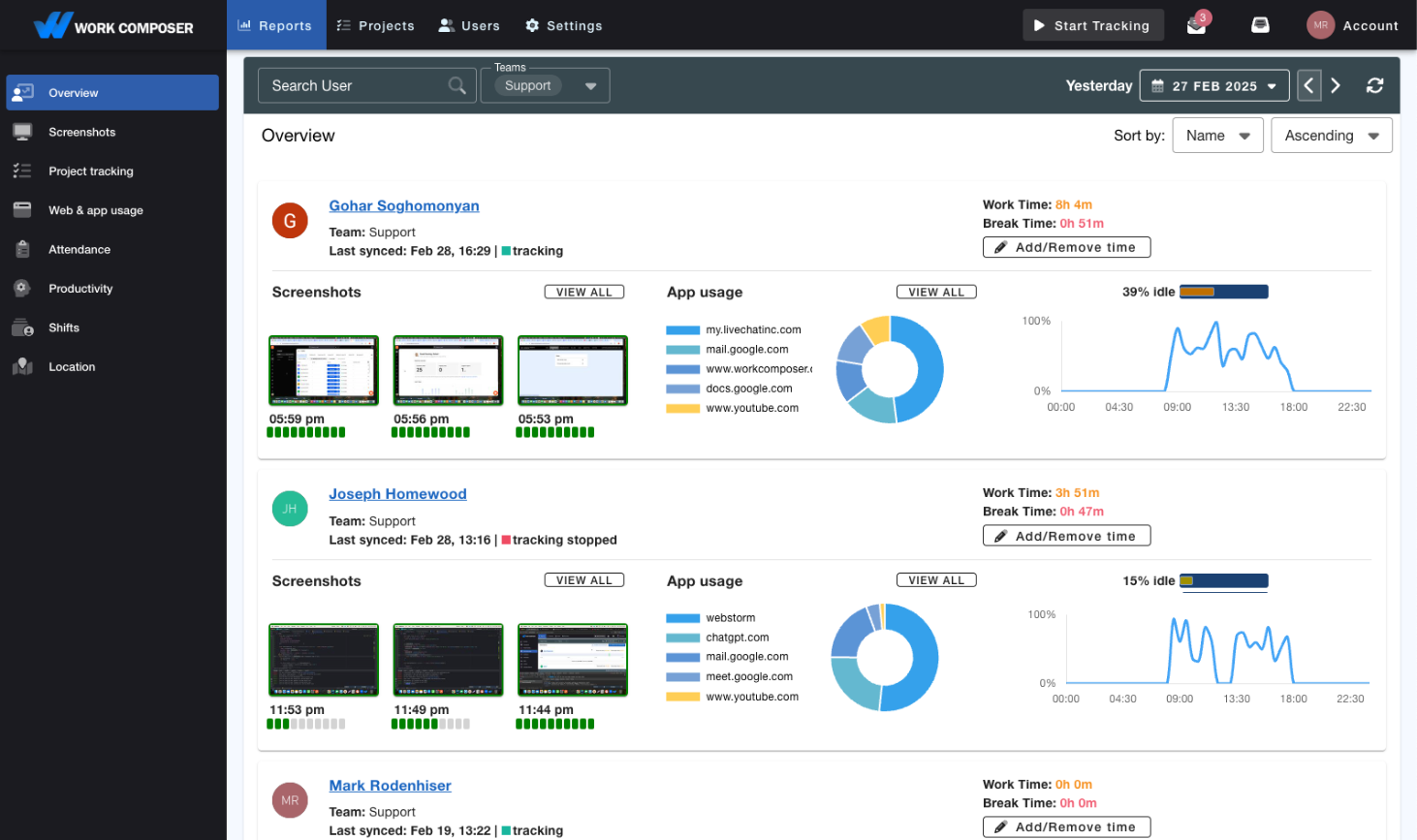
WorkComposer eliminates revenue leakage with automatic time tracking, proof of work, and transparent client billing documentation.
- Automatic Billable Time Capture
- Stop losing billable hours to forgotten entries. WorkComposer automatically tracks every minute spent on client work, from quick emails to long meetings. No more guessing or reconstruction at the end of the day.
- Proof of Work for Client Billing
- Back up every invoice with verifiable proof. Screenshots and activity logs demonstrate exactly what work was performed, eliminating client disputes and building trust. Clients see value delivered, not just hours claimed.
- Billable Amounts by Client and Project
- Set per-member and per-project hourly rates and WorkComposer rolls tracked time up into billable dollar amounts by client, project, and task. See exactly how much billable time each engagement is generating.
- Exportable Billing Reports
- Generate professional billing reports with detailed time breakdowns, task descriptions, and optional screenshots. Export directly to your billing system or attach to invoices for transparent client communication.
- Per-Member Billable Hours
- See tracked hours per team member across clients and projects. Use the raw hours to gauge who is carrying billable work and where there's capacity, and set targets based on real data.
- Multi-Client Time Allocation
- Track time across multiple clients and projects simultaneously. Switch between engagements seamlessly throughout the day. Perfect for consultants and service providers juggling multiple client accounts.
What Firms Gain
How WorkComposer Protects Billable Revenue
- Recover Lost Billable Time
- Automatic tracking captures time that gets missed with manual entry — short calls, quick emails, small tasks — so more of the work you already do turns into billable hours.
- Fewer Billing Disputes
- Proof of work answers client questions before they become disputes. Screenshots and activity logs show what was done, which builds trust and can speed up payment.
- Less Time on Time Entry
- Skip end-of-day time reconstruction. Automatic tracking means less time on administrative logging and more on billable client work.
- Better Billing Documentation
- From hours worked to hours billed, detailed records and proof of work back up every invoice — making the gap between work performed and work billed easier to close.
Real-World Scenarios
How Professional Services Firms Maximize Billable Hours
- Consulting Firms
Consultants lose billable time to short client calls and emails that never make it onto a timesheet. Automatic tracking captures that work as it happens, and screenshots give clients verifiable proof of what was delivered.
- Creative Agencies
Designers and developers routinely underreport hours on revisions and feedback cycles. Time tracking with optional screenshots documents the actual work, and detailed reports can be attached to invoices to head off disputes.
- Multi-Client Service Providers
When consultants work several client projects at once, time allocation turns into guesswork. Multi-client tracking with easy project switching, plus per-project rate rollups, shows how much billable time each engagement is actually generating.
Frequently Asked Questions
- How does automatic time tracking work for billable hours?
- WorkComposer tracks time automatically based on which applications and files you're using. When you're working on client deliverables, it captures that time. You can assign time to specific clients/projects either in real-time or review and allocate at the end of the day. No more reconstructing your day from memory.
- What about short client interactions like phone calls and emails?
- Those are exactly the billable minutes most firms lose! WorkComposer captures even short time increments. Whether it's a 10-minute phone call or quick email response, the time is tracked. You can manually add phone call time or let automatic tracking capture email and document work. Every billable minute counts.
- How do screenshots help with client billing?
- Screenshots provide undeniable proof of work when clients question invoices. Instead of saying "we spent 10 hours on your project," you show them exactly what was done. This eliminates disputes, builds trust, and speeds up payment. Screenshots are optional and can be blurred for privacy.
- Can we track billable vs. non-billable time separately?
- There isn't a single billable/non-billable toggle, but you can get the same result by creating separate projects for non-billable activities (administrative, training, business development) and for client work. Reporting by project then shows billable versus non-billable time side by side.
- Does this integrate with our billing software?
- WorkComposer exports time data as CSV, XLSX, or PDF, which you can import into your billing system. For a tighter connection, our public API lets you pull time data into your own custom integration. Many firms export weekly or monthly time summaries and import them into their invoicing tool.
- What about professionals who work on multiple clients in one day?
- Perfect use case! Easily switch between client projects throughout the day. Time is accurately allocated to the active client. This is ideal for consultants, agencies, and professional services firms where multitasking across clients is common.
- How quickly does this pay for itself?
- At $3.99/user/month, capturing even a single additional billable hour per person more than covers the cost. Any time recovered from work that would otherwise go unlogged goes straight to the bottom line. There's a free trial with no card required, so you can measure the recovered time for yourself before paying.
Ready to transform your team's productivity?
Join teams tracking time smarter. Start your free trial today—no credit card required.
- Setup guides available
- Full access to all features
- Cancel anytime, no questions asked
- Dedicated support to get you started