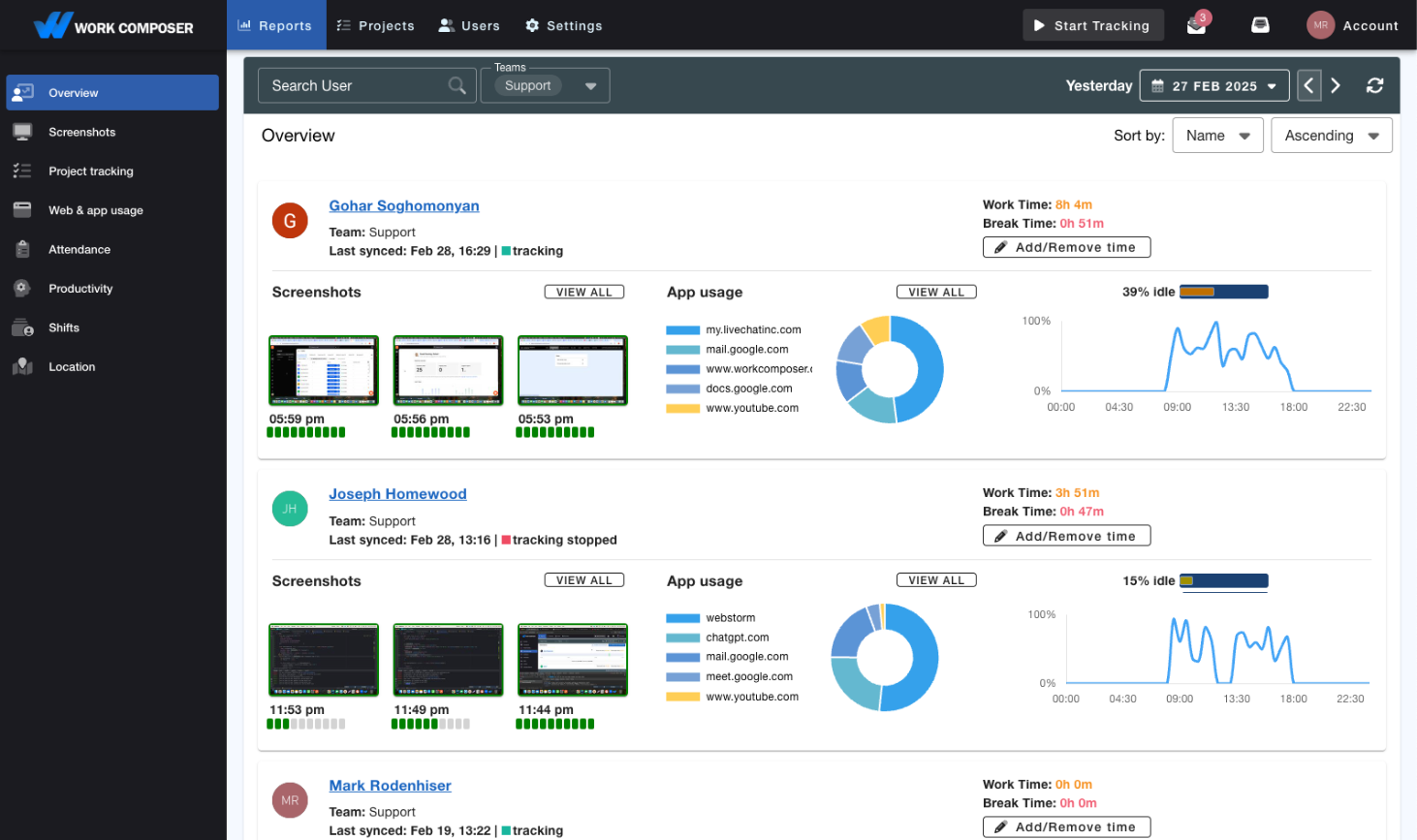
Time Tracking Built for Payroll
Stop chasing timesheets and re-keying hours. WorkComposer captures worked time automatically, down to the minute, so every pay period starts with accurate, verified records you can export in one click and import into your payroll system.
The Payroll Processing Challenge
Manual Timesheets Are Costing You More Than You Think
HR and payroll teams burn hours every pay period chasing missing timesheets, re-keying hours, and untangling disputes. Manual entry is where errors creep in — and every correction erodes employee trust.
- Timesheet Collection Nightmare
Chasing down missing or incomplete timesheets eats hours of HR time every pay period. Late submissions push back payroll, pile on last-minute pressure, and frustrate staff and employees alike.
- Payroll Errors and Disputes
Manual timesheet entry leads to calculation errors, misrecorded hours, and rounding mistakes. Each payroll dispute requires investigation, correction, and reprocessing—damaging employee trust and morale.
- No Proof of Hours Worked
Manual timesheets are just numbers on a page — there's no record of what was actually worked. When an employee disputes their hours, you have nothing to point to. Guesswork and estimation replace evidence.
The Solution
Accurate Hours, Captured Automatically
WorkComposer replaces manual timesheet collection with automatic time tracking, activity-verified records, and one-click exports you drop straight into your payroll system.
- Automatic Time Capture
- No more chasing timesheets. WorkComposer automatically tracks employee work hours with precision down to the minute. Time is captured as work happens — eliminating forgetfulness, estimation, and manual-entry errors. Choose Automatic, Manual, or Silent tracking to fit how your team works.
- Activity-Verified Records
- Automatically tracked hours are tied to real computer activity, so no one can clock in for someone else. Optional screenshots and activity logs give you proof of work behind automatically tracked time.
- Idle Auto-Pause & Shift Breaks
- Only active time counts: WorkComposer auto-pauses tracking when an employee goes idle, so paid hours reflect real work — not a timer left running. Admins can also set fixed daily break windows (for example, 12:00–12:30), and reports flag break time taken outside them.
- One-Click Export to Any Payroll System
- Export verified time and attendance data to CSV, Excel, or PDF with one click, then import it into whatever payroll system you already run. No re-keying, no transcription errors — the hours you export are the hours you captured.
- Approvals for Manual Time & Leave
- When an employee submits a manual time entry or a leave request, the right approvers get notified instantly by email and Slack — so nothing slips through before payroll. Review, approve, and keep a clear record of who signed off.
- Reports You Can Export & Share
- Generate work-hours, attendance, app-usage, and screenshot reports on demand, and export them to CSV, Excel, or PDF. Real-time attendance shows presence, breaks, and time off — a clear record you can hand to payroll, finance, or an employee who asks.
What Changes
Transform Your Payroll Operations
- Faster pay-period close
- Automatic capture removes timesheet collection and manual data entry, so you head into payroll with hours already in hand instead of spending days assembling them.
- Fewer manual-entry errors
- Hours are captured as work happens, not re-typed later — cutting out the miscalculations and rounding mistakes that trigger disputes and reprocessing.
- No more missing timesheets
- Because tracking is automatic, every tracked employee has a complete time record at period end. No chasing submissions before the deadline.
- Records you can stand behind
- Every hour is backed by activity data and, optionally, screenshots — so when hours are questioned, you have evidence instead of estimates.
Where It Fits
Built for Teams That Run on Hourly Time
- Distributed & multi-site teams
Employees clock time across several locations or departments. WorkComposer categorizes hours by location, department, or project, so decentralized hours roll up cleanly and export ready for payroll.
- Remote & hybrid workforces
Staff work from anywhere, on Windows, macOS, Linux, or the web. Offline tracking syncs automatically when they reconnect, and activity-verified records mean you trust the hours without hovering.
- High-timesheet-volume operations
Lots of employees, tight pay-period deadlines. Automatic capture ends the timesheet chase, and one-click CSV, Excel, or PDF export removes the re-keying step between "hours worked" and "hours paid."
Frequently Asked Questions
- How does automatic time tracking work for payroll?
- WorkComposer records when employees start and stop work and captures worked time automatically, down to the minute. Idle time is auto-paused so only active work counts. At the end of each pay period, you export verified time and attendance records to CSV, Excel, or PDF and import them into your payroll system — no manual timesheets, no re-keying.
- Does this work for both hourly and salaried employees?
- Yes. For hourly employees, minute-accurate tracking gives you the exact worked hours to pay against. For salaried employees, the same tracking provides productivity insight and project/time allocation data. You can run tracking in Automatic, Manual, or Silent mode depending on the team.
- Can I see hours by day, and how are long days handled?
- WorkComposer captures total worked time per employee per day with minute-level accuracy, and reports break it down so you can see exactly who worked what. Overtime rules and pay rates live in your payroll system — you export the accurate hours from WorkComposer and your payroll system applies your rules to them.
- Can we integrate with our existing payroll system?
- Yes. Export your time and attendance data to CSV, Excel, or PDF in one click and import it into whatever payroll system you use. For custom, automated workflows, WorkComposer also offers a documented public API (OpenAPI 3.1) so you can pull time data programmatically.
- Can I track breaks?
- Yes. Idle time is auto-paused so breaks aren't counted as worked time, and attendance reports show break time per employee. Admins can also define fixed daily break windows (for example, a 12:00–12:30 lunch), and reports flag break time taken outside those windows.
- How does this prevent time theft and buddy punching?
- Automatic time tracking is tied to individual employee computer activity. Employees can't clock in for each other. Optional activity verification and screenshots provide proof of actual work performed. This eliminates time theft while respecting employee privacy.
- What happens if employees work across multiple locations or departments?
- Time can be tracked and categorized by location, department, project, or any custom classification you need. This is perfect for organizations with multiple work sites or employees who work across different cost centers. Payroll exports include all necessary classification data.
- How quickly can we implement this for payroll?
- Most teams are up and running within a day or two. Install the tracker on Windows, macOS, or Linux (or use the web app), invite your employees, and pick a tracking mode. Start with a pilot group if you prefer, then roll out company-wide — your first export can happen the same week. A free 7-day trial (no card required) lets you test the full flow first.
Ready to transform your team's productivity?
Join teams tracking time smarter. Start your free trial today—no credit card required.
- Setup guides available
- Full access to all features
- Cancel anytime, no questions asked
- Dedicated support to get you started