Time Tracking Built for Agencies
Capture every billable minute with accurate time tracking, turn tracked hours into billable amounts, and export transparent reports for client billing. Stop leaving billable hours on the table.
The Agency Challenge
Are You Leaving Money on the Table?
Agencies lose billable hours to poor time tracking and inaccurate timesheets — and struggle to show clients exactly what work was done.
- Inaccurate Billing
Relying on manual timesheets means missed billable hours, estimation errors, and revenue leakage. Your team underreports time, and clients question invoices without proof of work.
- No Clear View of Where Hours Go
You can't tell how much time each client and project is really consuming until the work is done. Without dependable tracking, scope creep goes unnoticed and billable hours slip through the cracks.
- Guesswork on Future Estimates
How long does this kind of project really take? Without a record of actual hours from past work, every proposal is guesswork — and repeated underestimates quietly erode your margins.
The Solution
Purpose-Built for Agency Success
WorkComposer eliminates guesswork with automatic time tracking, per-project billable-rate math, and detailed reports you can hand to clients.
- Accurate Billable Hours Tracking
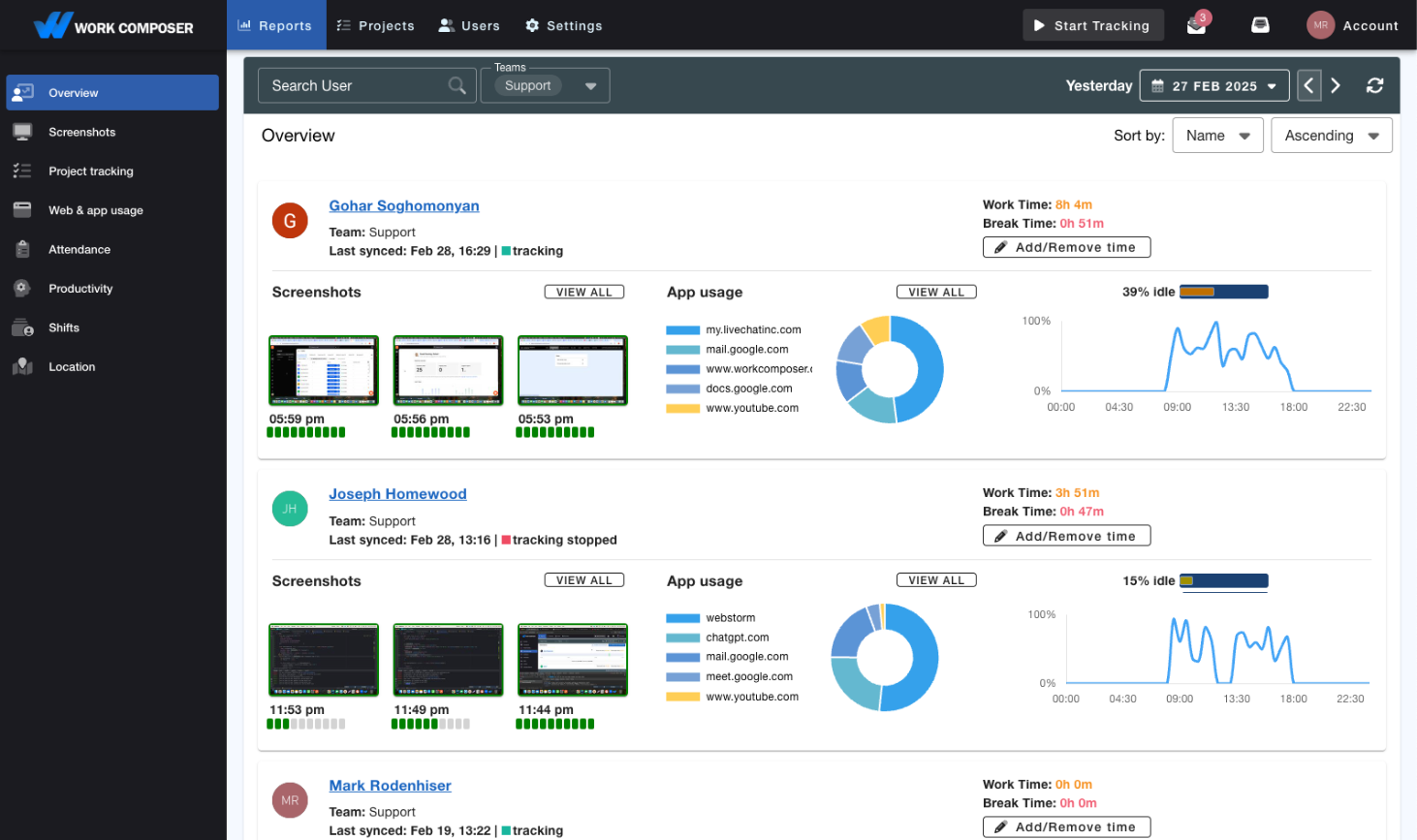
- Capture every billable minute with automatic time tracking. No more manual timesheets, forgotten hours, or billing disputes. Screenshots provide proof of work for client transparency and trust.
- Hours Into Billable Amounts
- Set an hourly rate per team member or project and WorkComposer rolls tracked time up into billable amounts automatically. See the billable value of each client, project, and member without a spreadsheet.
- Works With Jira & Asana
- Connect the tools your team already uses. WorkComposer integrates with Jira and Asana — including bidirectional Jira worklog sync — so tracked time flows to the projects and tasks you manage every day.
- Exportable Client Reports
- Generate professional reports for clients with detailed time breakdowns, screenshots, and activity summaries. Justify invoices with transparent proof of work and eliminate billing disputes.
- Organize by Client, Project & Task
- Categorize time by client, project, and task. Track hours spent on specific deliverables and build a historical record you can reference to make future project estimates more realistic.
- Productivity Analytics
- Understand where time goes with app and website usage tracking. Identify productivity patterns, spot time spent on unproductive apps and sites, and refine how your team works across client projects.
What You Get
Clarity on Every Client Engagement
- Capture Every Billable Minute
- Automatic tracking captures time as work happens, so hours that used to go unrecorded on manual timesheets get billed.
- Less Admin Overhead
- Stop chasing timesheets and re-keying data. Automate reporting — export detailed reports you attach to your invoices.
- Billable Amounts Without Spreadsheets
- Per-member and per-project hourly rates turn tracked time into billable amounts, so you can see the billable value of each engagement automatically.
- Proof of Work for Clients
- Screenshots and detailed activity logs give clients transparent proof of work, so invoices are backed by evidence and easier to stand behind.
Real-World Scenarios
How Agencies Use WorkComposer
- Marketing Agencies
Marketing teams use automatic tracking across all client projects to capture billable hours that manual timesheets miss, and attach screenshots as proof of work so invoices are easy to justify.
- Creative Agencies With Remote Teams
Distributed creative teams track time by client and project across time zones, so managers can see how hours are split across active work and report accurately to each client.
- Consulting Firms
Consultancies categorize time by client and task and apply per-member rates to turn hours into billable amounts, while a growing record of past projects makes future estimates more realistic.
Frequently Asked Questions
WorkComposer automatically tracks every billable minute, eliminating manual timesheet errors. You can export detailed reports showing exactly what work was done, when, and by whom. Screenshots provide proof of work, so clients trust your invoices and billing disputes disappear.
Yes. WorkComposer tracks time by client, project, and task, and applies per-member and per-project hourly rates to turn those hours into billable amounts. You can report on the hours and billable value of each client and project, and reference past projects when estimating new work.
WorkComposer's automatic tracking means zero friction for your team. Once set up, tracking happens in the background — no manual start/stop buttons or timesheet entry. Many agencies find their teams actually prefer it because they get credit for all their hard work.
Absolutely. Export custom reports filtered by date range, user, project, or task. Include or exclude screenshots based on client preferences. Generate professional PDFs ready to attach to invoices or share in client meetings.
Reports show each team member's tracked hours, the projects they worked on, and their activity levels. Filter by member, client, project, or date range to see how hours are distributed across your active work.
WorkComposer has built-in project and task management, and integrates with Jira and Asana — including bidirectional Jira worklog sync. For anything else, our public API lets you connect WorkComposer to your own tools.
Ready to transform your team's productivity?
Join teams tracking time smarter. Start your free trial today—no credit card required.
- Setup guides available
- Full access to all features
- Cancel anytime, no questions asked
- Dedicated support to get you started